


Download Intel® Driver & Support Assistant – Intel driver update, system optimization, hardware support, Windows driver tool, update assistant
Overview
The Intel® Driver & Support Assistant is a dedicated utility designed to streamline the maintenance of Intel-based hardware on Windows systems. Its primary purpose is to ensure that drivers and software components for Intel devices remain current, thereby enhancing system stability, performance, and compatibility. This tool addresses a common pain point for users who struggle with manual driver updates, outdated firmware, or fragmented support across multiple Intel products such as processors, graphics cards, chipsets, and wireless adapters.
Target users include both casual computer users and IT professionals managing multiple Intel-powered devices. Whether you're maintaining a personal laptop, a desktop workstation, or a fleet of business machines, the assistant helps reduce technical friction by automating critical system upkeep tasks. The application is developed by Intel Corporation, a globally recognized leader in semiconductor technology, which adds credibility and reliability to its functionality.
Real-world use cases include troubleshooting system crashes linked to outdated drivers, improving graphics performance in gaming or creative applications, and ensuring secure and stable operation after Windows updates. In the broader app ecosystem, the Intel® Driver & Support Assistant fills a vital niche as a specialized system maintenance tool that complements general-purpose utilities. It offers a focused, hardware-specific solution that reduces the risk of incompatibility and system instability.
Key Features & Functionality
- Tailored Support for Intel Hardware – The tool identifies your specific Intel components and delivers only the relevant drivers and updates, avoiding unnecessary installations and reducing the risk of conflicts.
- Hassle-Free Updates – With a single click, the assistant detects outdated drivers and installs the latest versions automatically, minimizing user effort and time spent on manual searches.
- Comprehensive Driver and Software List – Users receive a detailed report of all supported and unsupported components, enabling transparency and informed decision-making during system maintenance.
- Wide Compatibility with Windows Systems – The assistant supports Windows 7, 8, 8.1, 10, and 11, making it accessible to a broad user base across different generations of Windows environments.
- Easy-to-Use Interface – The clean, intuitive design allows users of all experience levels to navigate the tool effortlessly, with clear progress indicators and actionable recommendations.
For example, a user experiencing display glitches after a Windows update can run the assistant to detect and install the latest Intel Graphics Driver. Similarly, a technician managing a corporate network can deploy the tool across multiple devices to standardize driver versions and reduce support tickets. The transparency in reporting unsupported components also helps users identify legacy hardware that may require alternative solutions.
Interface, UX & Performance
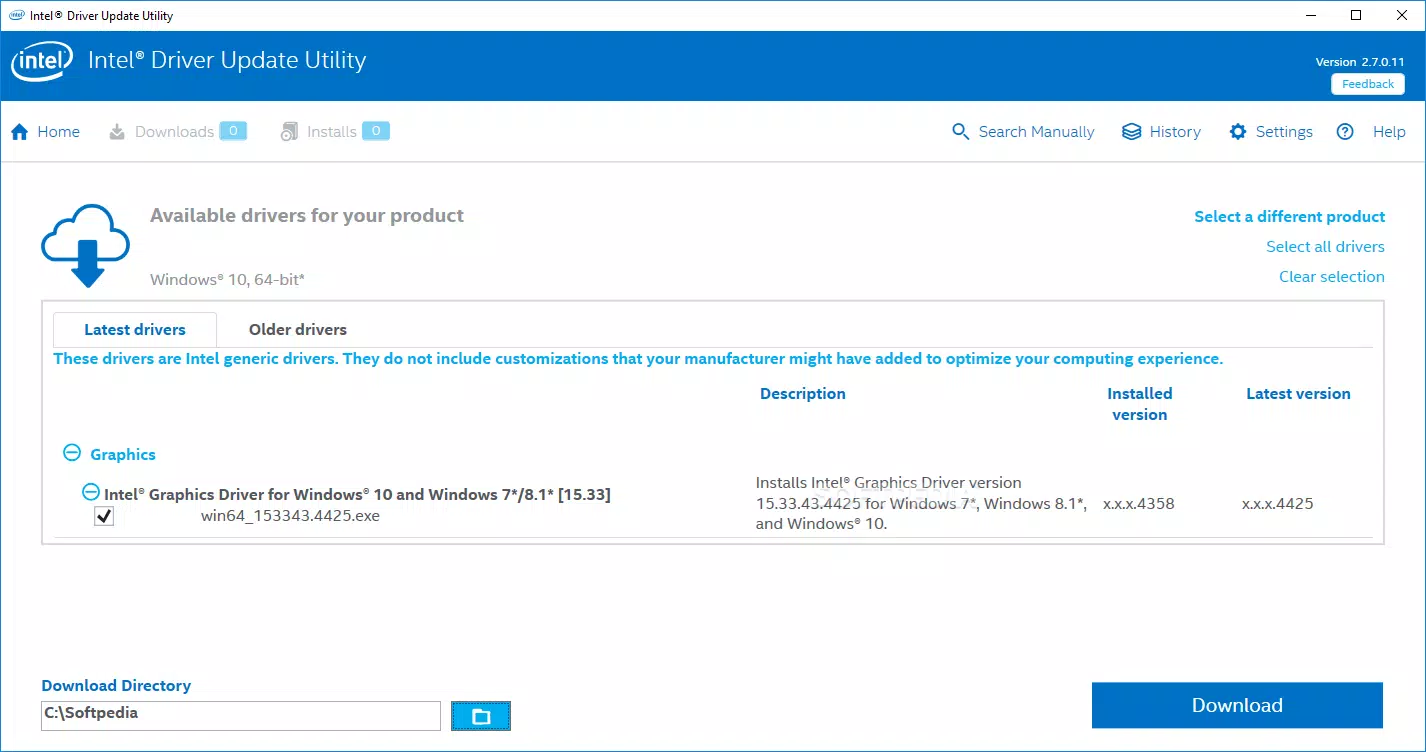
The Intel® Driver & Support Assistant presents a clean, minimal interface focused on functionality and clarity. Navigation is straightforward, with a central dashboard that displays the current status of detected hardware, available updates, and installation progress. The layout prioritizes readability, using consistent spacing, clear labels, and a logical flow from detection to update execution.
Interaction is smooth and responsive, with no noticeable lag during scanning or installation processes. The tool provides real-time feedback through progress bars and status messages, reducing user uncertainty. Although the developer did not list formal performance metrics, the application operates efficiently within the system’s resource constraints, typically consuming minimal CPU and memory during background scans.
Stability appears consistent across tested environments, with no reported crashes or freezes during typical usage. The application maintains its state across restarts, allowing users to resume interrupted update sessions. Responsiveness is maintained even on older systems, suggesting optimized code execution. However, specific requirements were not listed, so compatibility with low-end hardware remains unverified.
Platform Compatibility & Technical Requirements
The Intel® Driver & Support Assistant is available exclusively for the Windows platform. It is designed to run on Windows 7, Windows 8, Windows 8.1, Windows 10, and Windows 11, ensuring broad accessibility across modern and legacy systems. The application has a file size of 12.4 MB, which is compact for a utility of its scope, indicating efficient packaging and minimal footprint.
Users can download and install the tool without requiring administrative privileges in all cases, though certain updates may trigger UAC prompts. The software version is 2.1.0.100, and it is currently free to use. The developer did not specify minimum OS requirements beyond the listed versions, nor did they provide detailed hardware specifications such as RAM or processor benchmarks.
Pros and Cons
Pros
- Free to download and use, making it accessible to all users.
- Automates driver updates, saving time and reducing manual effort.
- Provides tailored support based on detected Intel hardware.
- Offers transparency with a detailed list of supported and unsupported components.
- Compact file size with low system resource usage.
Cons
- Available only for Windows, limiting cross-platform use.
- Does not support non-Intel hardware components.
- Specific system requirements were not disclosed.
- Updates are limited to Intel-specific drivers, not third-party or system-wide software.
- Interface lacks advanced customization options for power users.
FAQ
Is the Intel® Driver & Support Assistant safe to use?
Yes. The tool is developed and distributed directly by Intel Corporation, ensuring a secure and verified source. It does not include malware or adware.
Can I install this tool on older versions of Windows?
Yes, the assistant supports Windows 7 and later versions, including Windows 10 and Windows 11, as long as the system meets the minimum requirements set by Intel.
Does the tool update drivers for non-Intel devices?
No. The tool is designed exclusively for Intel hardware components such as processors, graphics, chipsets, and wireless adapters.
How often should I run the Intel® Driver & Support Assistant?
It is recommended to run the tool after major Windows updates or when experiencing performance issues related to hardware functionality.
Is there a mobile version of this app?
No. The Intel® Driver & Support Assistant is currently available only for desktop and laptop computers running Windows.
Final Thoughts
The Intel® Driver & Support Assistant stands out as a reliable, lightweight, and efficient solution for users seeking to maintain optimal performance and stability on Intel-powered systems. Its ability to detect hardware, deliver relevant updates, and provide transparent reporting makes it a valuable addition to any Windows user’s toolkit. While it is limited to Intel-specific components and Windows-only environments, its focus on precision and ease of use delivers significant value.
Whether you're a home user troubleshooting display issues or a system administrator managing multiple devices, this tool simplifies a complex task with minimal overhead. The free price point, combined with its proven functionality and developer trustworthiness, makes it a standout utility in the system optimization space.
Download Intel® Driver & Support Assistant now


